

“What was the password for that?”
You chase logins instead of doing your job. One is on a sticky note.
For small businesses that hire regularly
Type a name, how they work, and a mobile number. The portal can start setting up their account in less than 30 seconds. Their setup steps arrive by text before day one.
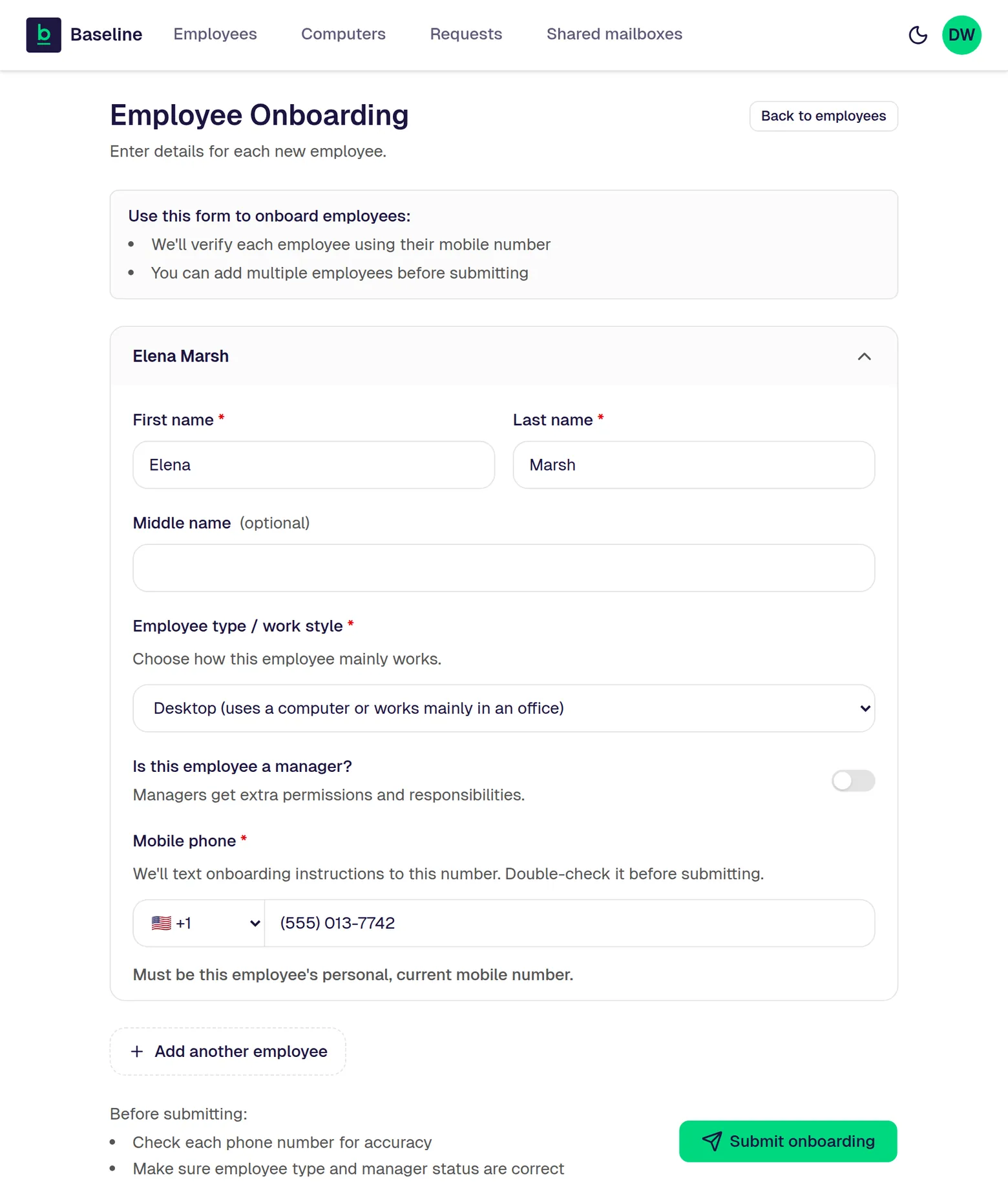
The real screen for adding a person, in the Manager Portal inside Teams. The person shown is made up.
Sound familiar?
“What was the password for that?”
You chase logins instead of doing your job. One is on a sticky note.
“So what should I do until it works?”
The laptop won’t let them in. Day one is spent waiting.
“How did we do this last time?”
Nobody wrote it down. So you start again from memory.
Why this works
The portal can start setting up their account in less than 30 seconds.
You: a name and a number.
A few minutes on their phone. They set up sign-in with their face, fingerprint, or a PIN.
If it’s a company computer we look after, its settings arrive by themselves and match the others.
Watch each step in the portal until setup is done.
When someone leaves, the portal can start turning off their access in less than 30 seconds.
The Baseline Standard
“Every new hire is a scramble.”
The Manager Portal for adding and removing people.
“Day one is spent on logins.”
Sign-in with face, fingerprint, or PIN, and no passwords.
“Every laptop is different.”
Company computers we look after, set up alike, security on.
“Who does the new person ask?”
Instant AI help in Teams, any time, included in the monthly price. It fixes most everyday problems on the spot.
“Another bill on top of Microsoft?”
Microsoft 365 (Outlook email, Word, Excel, Teams, and OneDrive), watched around the clock.
“Who trains the new hire?”
Training Built Into the Work.
“Can our spare laptops join the Baseline setup?”
The Computer Readiness Guide.
“What would this actually cost us?”
Your Written Fit Check.
“We’ll be locked in.”
The Clean Handover Promise.
Only when you need a person
A real person within 10 minutes, day or night.
$35 flat per ticket, only when you need one. It isn’t in the monthly price.
Our promises
The Switch Promise
The 10-Minute Promise
The Clean Handover Promise
Check it today
After the form, the new person shows up in the list.
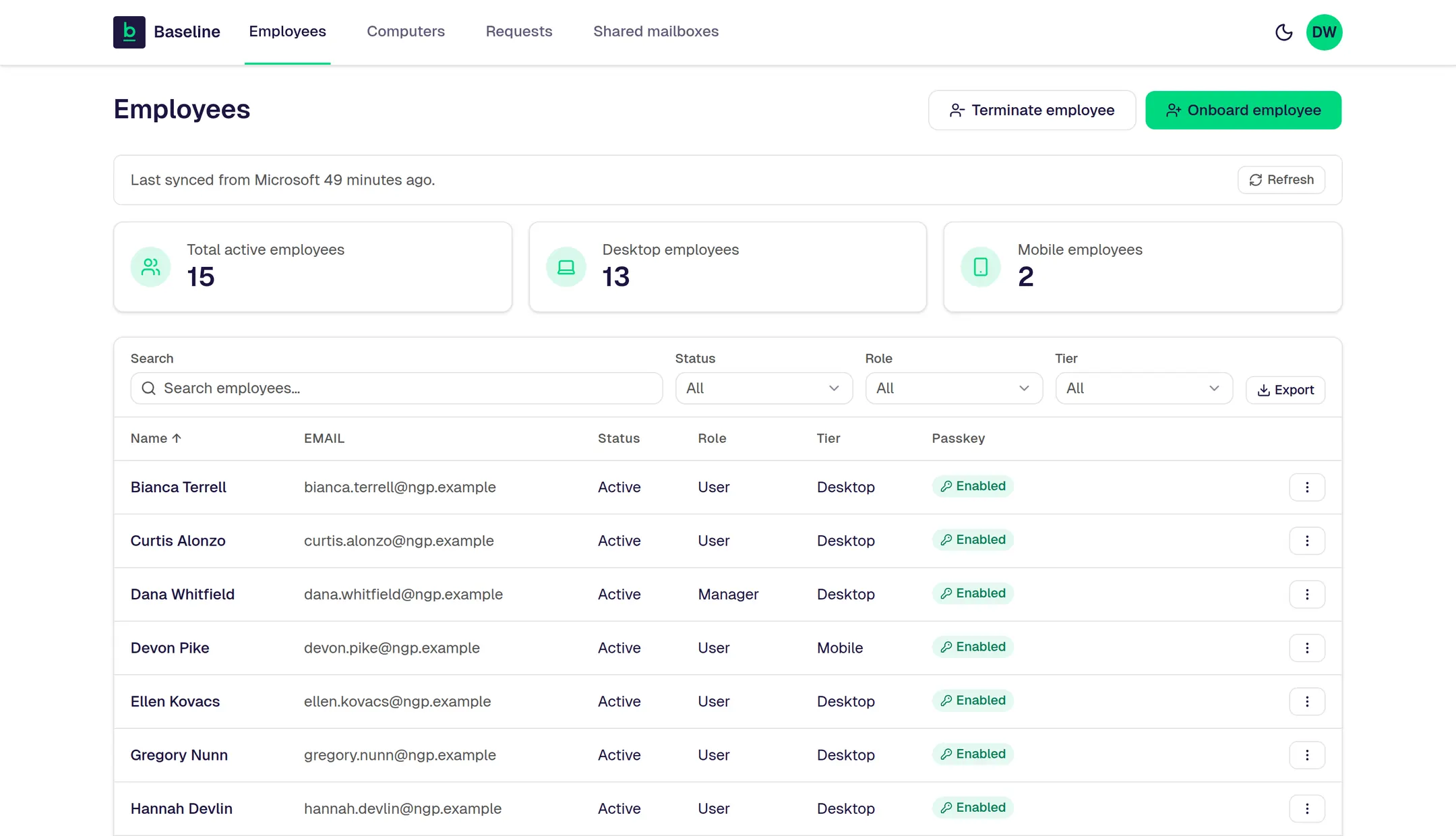
The real Manager Portal. The company and people shown are made up.
Nobody can install whatever they want. New people notice that for about a week. But it’s one of the two reasons help requests drop.
What you’re probably thinking
The next step
See your price and what each choice costs, on the spot.
Someone leaving instead? Get the free Employee Exit Checklist.
P.S. Your next new hire can start with one form and a text to their phone.
It looks like it may be after hours for us right now. You can still fill this out. We’ll call you as soon as humanly possible, and that may be when we’re next in the office.
Leave your name and cell number. We’ll call you as soon as humanly possible. No forms, no fit check.
Keep your phone close. We’ll call you as soon as humanly possible.
It’s after hours for us, so the call may come when we’re next in the office.
Back to the page