

“The new person starts Monday.”
You hunt for a laptop. Monday comes, and they wait anyway.
For office managers who became the IT person
Your team asks Baseline, not you: instant AI help, and a real person within 10 minutes ($35 a ticket). What’s left for you sits on one screen in Teams.
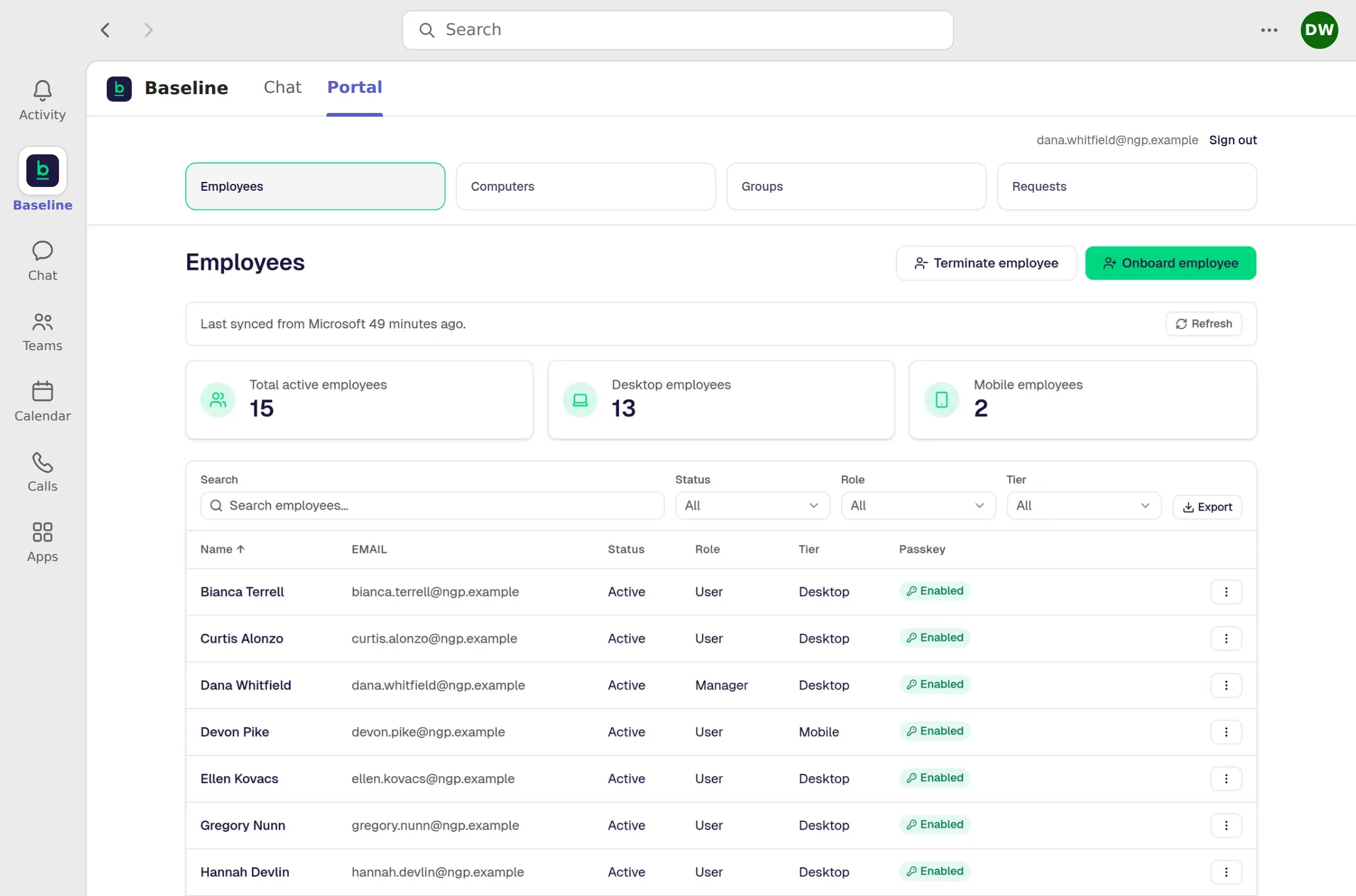
The real Manager Portal, inside Teams. The company and people shown are made up.
Sound familiar?
“The new person starts Monday.”
You hunt for a laptop. Monday comes, and they wait anyway.
“Can you look at my Outlook?”
You fixed it once, so now everyone asks you.
“Did anyone shut off their access?”
There’s no one place to check what’s still open.
Why this works
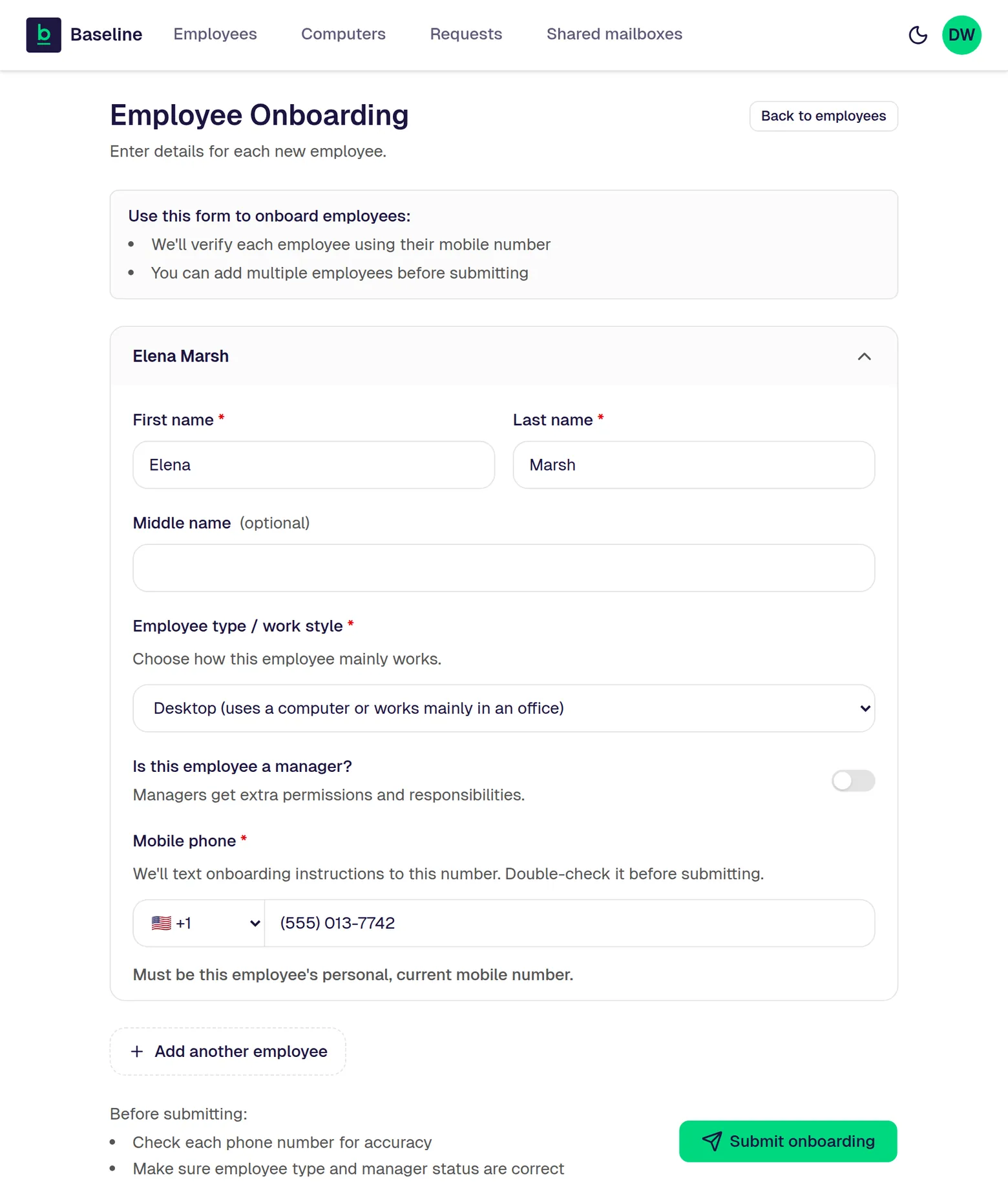
The real screen for adding a person. The person shown is made up.
A new hire is a short form. When someone leaves, the portal can start turning off their access in less than 30 seconds. With the Baseline setup, like company computers we look after and Teams for meetings, the AI handles more without you.
The Baseline Standard
“Everyone will still come to me.”
Instant AI help in Teams, any time, included in the monthly price. It fixes most everyday problems on the spot.
“I don’t know Microsoft.”
The Manager Portal for adding and removing people.
“Half my week is lockouts.”
Sign-in with face, fingerprint, or PIN, and no passwords.
“Every laptop is different.”
Company computers we look after, set up alike, security on.
“Another bill on top of Microsoft?”
Microsoft 365 (Outlook email, Word, Excel, Teams, and OneDrive), watched around the clock.
“I’ll be teaching everybody.”
Training Built Into the Work.
“Can our old laptops join the Baseline setup?”
The Computer Readiness Guide.
“What would this actually cost us?”
Your Written Fit Check.
“We’ll be locked in.”
The Clean Handover Promise.
Only when you need a person
A real person within 10 minutes, day or night.
$35 flat per ticket, only when you need one. It isn’t in the monthly price.
Our promises
The 10-Minute Promise
The Switch Promise
The Clean Handover Promise
Check it today
“Whose laptop is this?” has an answer now.
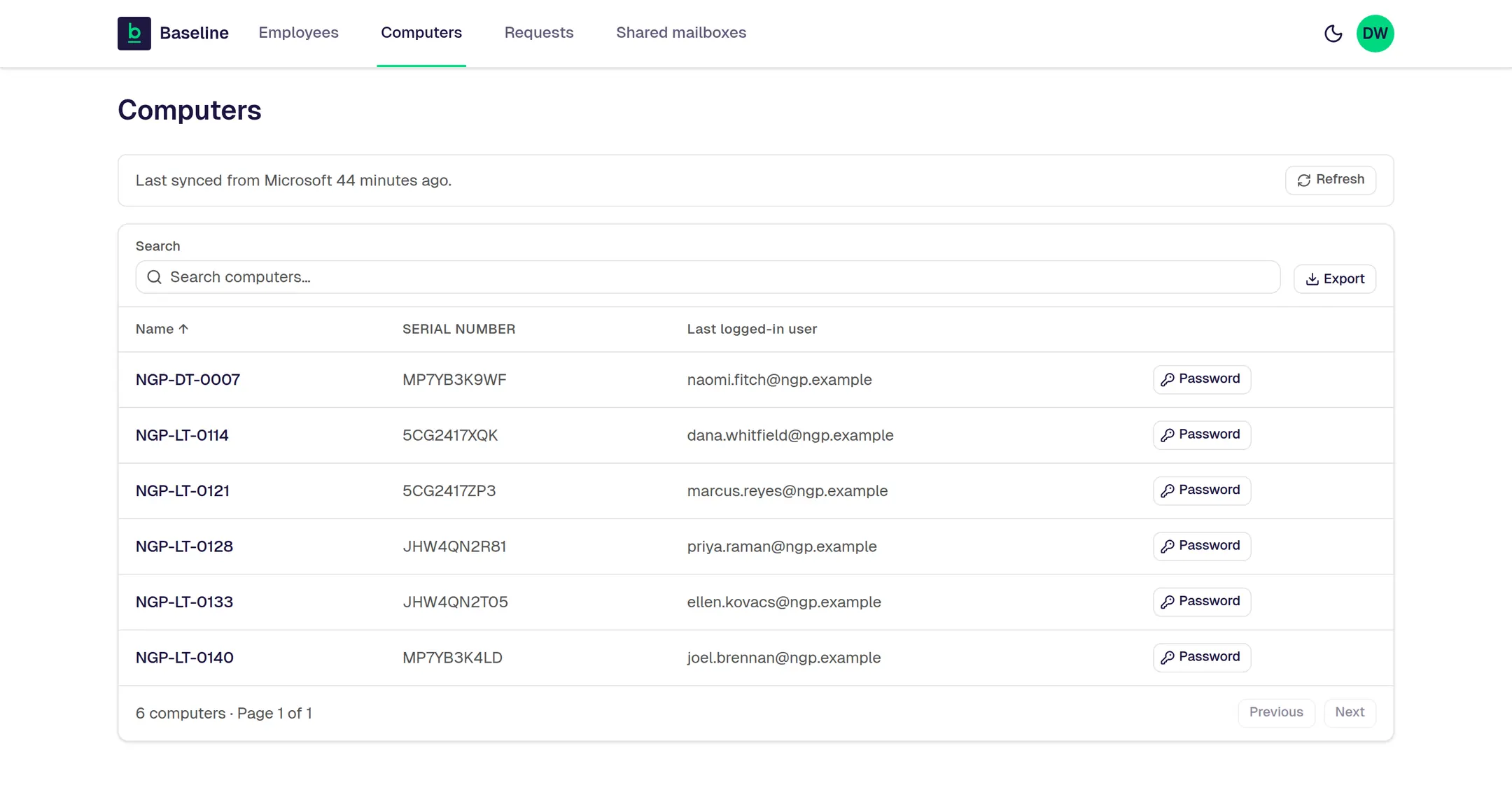
The real Computers screen. The company and people shown are made up.
Nobody can install whatever they want. People notice that for about a week. But it’s one of the two reasons help requests drop.
What you’re probably thinking
The next step
Your price and what each choice costs, ready for your boss.
Not the one who signs? Copy a short summary for your owner.
P.S. Next time someone asks, “Can you look at my Outlook?”, you can say, “Ask Baseline in Teams.”
It looks like it may be after hours for us right now. You can still fill this out. We’ll call you as soon as humanly possible, and that may be when we’re next in the office.
Leave your name and cell number. We’ll call you as soon as humanly possible. No forms, no fit check.
Keep your phone close. We’ll call you as soon as humanly possible.
It’s after hours for us, so the call may come when we’re next in the office.
Back to the page