
Businesses run on Baseline.
IT support for firms that bill for their people’s time.
Accounting, legal, engineering, architecture, and consulting firms run on two things: their people’s attention, and their clients’ trust. Baseline builds one managed Microsoft 365 setup so that ordinary work stops less often and you can describe exactly how yours is configured.
Start where you are
Most conversations start with one of these.
“We’re paying a lot and I’m not sure what we get for it.”
Both prices, the term, and the work that is billed by the hour instead are published below.
See what it costs“This keeps happening, and it happens during billable hours.”
A problem that returns is a symptom of how the setup was assembled.
See the pattern“A client sent us a security questionnaire and we could not answer it.”
Baseline can describe your setup in full, because it is built to one documented standard.
See what your firm gets“Someone left and their client files went with them.”
Removing a person ends their access, and the work they did stays where the firm can find it.
See the portalThe pattern
Two costs a firm carries that never appear on the IT invoice.
One is measured in billable time. The other only shows up when somebody outside the firm asks a question about your own setup.
Interruption already has a rate attached to it
In a business that bills for time, an interruption is not an inconvenience. A partner waiting on a file, a paralegal locked out on a filing day, an associate rebuilding a document that did not save: each of those is a cost the firm can calculate, and none of them appears on a technology bill.
Baseline does not claim a percentage against that, because no such number would be honest. What it does is remove whole categories of interruption by removing the exceptions that produce them, and publish its own support rates rather than promising yours.
You are increasingly asked to describe your own setup
Clients send security questionnaires. Insurers ask how people sign in and whether computers are managed by Baseline from one place. Larger firms you subcontract to ask before they send you anything. A setup assembled over ten years by four different providers cannot be described accurately, because nobody knows all of it.
A Baseline setup is built to one documented standard, so Baseline can tell you exactly how it is configured: how people sign in, how computers are managed, who holds master access, and where files live. A client or cyber-insurance company may ask whether employee accounts use password-free sign-in, whether computers have endpoint detection and response and drive encryption, whether firewall settings are managed, whether email is checked for phishing, and whether former employees lose access. Baseline can describe the exact standard instead of starting an investigation. Your client, insurer, or industry still decides whether those settings meet its rules.
What your firm gets
The standard that removes problems also handles the seasons.
Firms hire in waves, take on project staff, and lose people to larger firms. In most companies each of those is a technology event. In a consistent setup they are the same process every time.
- Seasonal and project hiring stops being a project of its own. A manager adds the person, and the new employee sets up their own computer and passkey before their first day.
- A departure actually ends. Removing a person shuts down access from one place, on the day it should happen rather than the week after.
- Client work sits where the firm can find it, so knowledge does not leave inside somebody’s personal drive.
- Every computer is connected to Baseline and set up the same way, so replacing one is a morning rather than a week.
- Security is part of the setup. Supported computers get Microsoft Defender protection and EDR, BitLocker encryption, managed firewall settings, and OneDrive folder protection, rather than products bought one at a time.
For managers
Who works here, on what, with what sign-in.
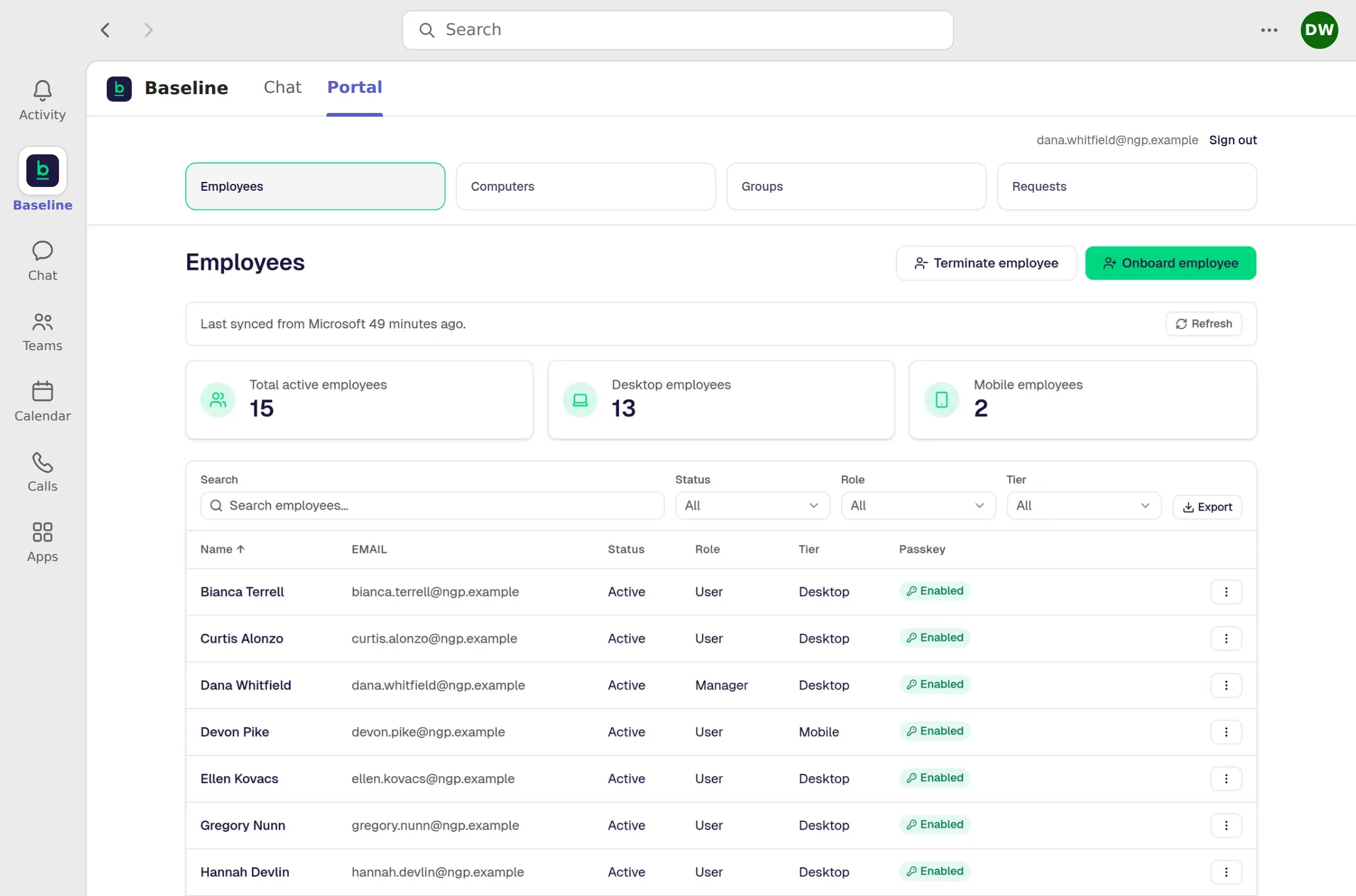
An office manager or practice administrator should not have to raise a support request to add a seasonal hire. The portal handles the ordinary changes.
- Hire a person. The portal can start account creation in less than 30 seconds.
- Remove a person. The portal can start access shutdown in less than 30 seconds.
- Follow employee onboarding and offboarding through to completion.
- Reset a passkey, see every company computer, and manage shared mailboxes.
- Open a support request and track where it stands.
When a manager adds or removes an employee, Baseline starts the change immediately. Microsoft may take a few minutes to finish applying it. Every screen below shows fictional company data. See the full Manager Portal detail.
The standard and the price
A standard your firm can operate, explain, and hand forward.
Desktop Users are $45 per user per month with the Microsoft 365 Business Premium license included. Mobile Users are $25 with the Microsoft 365 F3 license included. Annual commitment, paid monthly. Baseline manages employee sign-in, computers, files, access, and support as one documented Microsoft setup.
Support
One tracked path for help.
Support follows one tracked remote path during published business hours, so the process is as clear as the setup.
The next step
Stop adding bandages.
See what it would take to run your business on one managed standard.
In 30 minutes, we will map how your company works today, show what Baseline would change, and outline the clearest path forward.