
Businesses run on Baseline.
IT support for a company whose people are not in one building.
Baseline is delivered remotely because the setup is built to be supported remotely. Employee sign-in, computer setup, files, and support do not depend on anyone being in the same room as the problem.
Start where you are
Most conversations start with one of these.
“Every new hire waits a week for a laptop.”
Any compatible computer can be signed in to and configured to the standard.
See what changes“This keeps happening, and nobody can come look at it.”
A problem that returns is a symptom of the setup, and the fix is not a site visit.
See the pattern“I can’t get anyone to call me back.”
Here is the response path and business hours for a distributed team.
See how support works“Someone left and we never got the laptop back.”
Removing a person ends their access to the setup, wherever the computer happens to be.
See the portalThe pattern
Remote work finds every place your setup assumed a building.
Most small business technology was designed on the assumption that the people, the computers, and the files were all in the same place. Distance turns each of those assumptions into an incident.
- The computer that had to be handed to somebody in person before it could be used.
- The file share that only works on the office network, or through a connection everyone has to remember to start.
- The password reset that needed a person at the front desk to confirm who was asking.
- The scanner, printer, or program that only one machine in the building could reach.
- The new hire in another state who waited a week for equipment, then another day for somebody to sign in for them.
- The departure where the account stayed open because nobody collected anything.
The last one is the expensive one
When leaving a company involves handing something back, access tends to end when the equipment does. In a distributed company the equipment often does not come back quickly, and the account outlives the employment.
When computers are managed by Baseline from one place, ending access and collecting hardware are two separate events. One happens on the day somebody leaves. The other happens whenever the courier gets there.
What your team gets
Distance stops being the variable.
One consistent setup does more than prevent interruptions. It removes the reasons a distributed company has to solve the same problem differently every time.
- Hiring outside your city becomes ordinary. Employee sign-in, computer setup, files, and support do not depend on anyone being in the building.
- A new employee sets up their own computer and passkey from a guided walkthrough on their phone, before their first day.
- A lost or dead laptop does not have to mean exposed files. The drive is encrypted with BitLocker, so somebody cannot remove it and read the files on another computer. The employee’s company access can be shut off from the Manager Portal on the day it should be. Desktop, Documents, and Pictures are already saved to OneDrive, so the company replaces the machine, Baseline connects the replacement and applies the company setup, and the work was never only on the broken laptop.
- Shared work sits where the team can find it, so a time zone gap does not mean waiting for somebody to send a file.
- Growth stops requiring a renovation. The tenth hire and the fiftieth follow the same process, because there is only one process.
For managers
The computer list, wherever the computers are.
A distributed company loses track of equipment first and access second. Both live in one place your managers can open.
- Hire a person. The portal can start account creation in less than 30 seconds.
- Remove a person. The portal can start access shutdown in less than 30 seconds.
- Follow employee onboarding and offboarding through to completion.
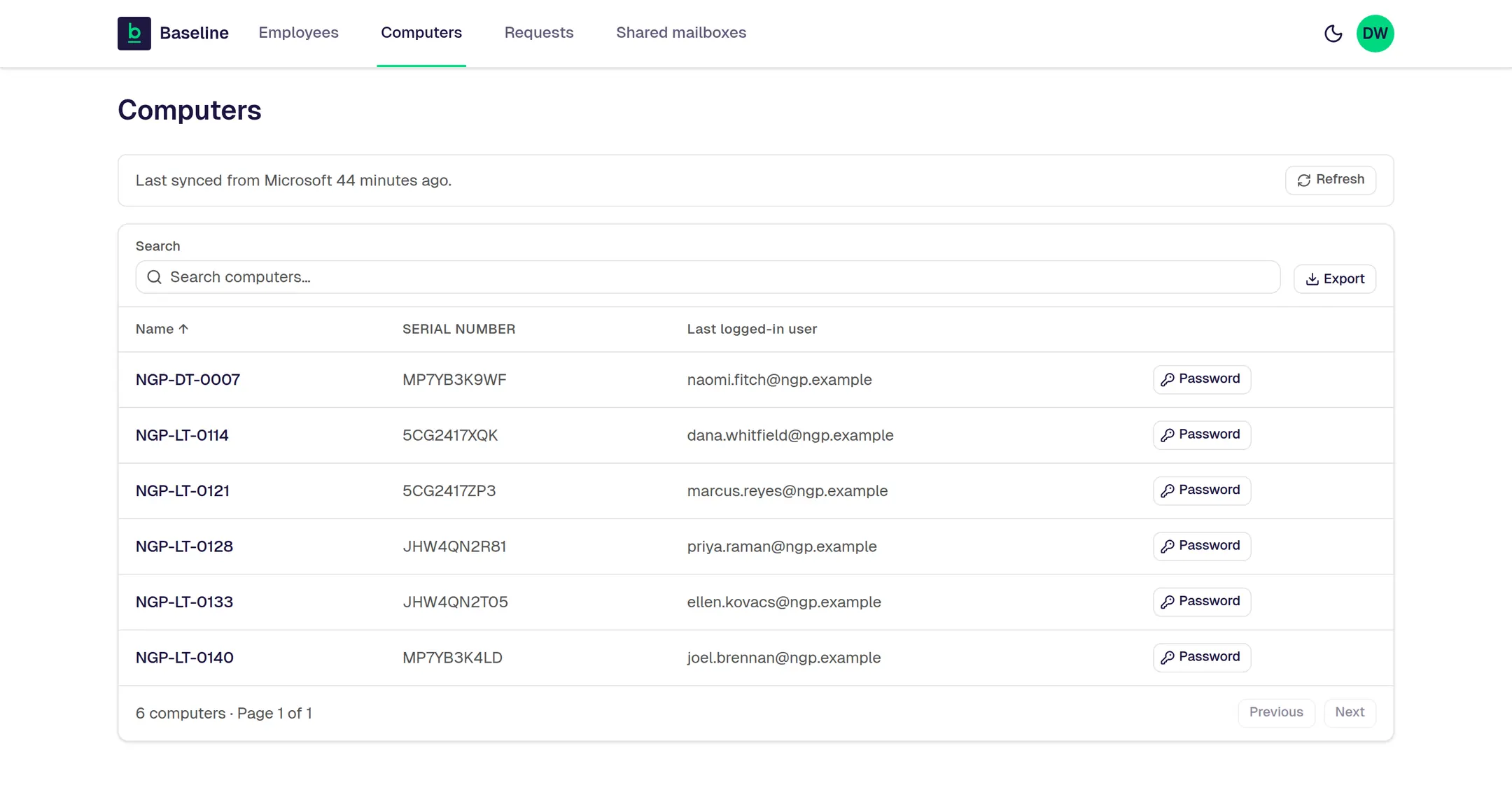
- Reset a passkey, see every company computer, and manage shared mailboxes.
- Open a support request and track where it stands.
When a manager adds or removes an employee, Baseline starts the change immediately. Microsoft may take a few minutes to finish applying it. Every screen below shows fictional company data. See the full Manager Portal detail.
The standard and the price
One remote way of working, wherever the employee is.
Employee sign-in, computer setup, files, access changes, and support do not depend on anyone being in the same building. Desktop Users are $45 per user per month with the Microsoft 365 Business Premium license included; Mobile Users are $25 with the Microsoft 365 F3 license included. Annual commitment, paid monthly.
Support
One tracked path for help.
Support starts in Teams, uses text as the fallback, and is delivered remotely during published business hours.
The next step
Stop adding bandages.
See what it would take to run your business on one managed standard.
In 30 minutes, we will map how your company works today, show what Baseline would change, and outline the clearest path forward.