
Businesses run on Baseline.
Small business IT support, rebuilt to make support less necessary.
Baseline gives a small business one Microsoft setup for employee sign-ins, company computers, email, files, security settings, and help. The price, support hours, and work that costs extra are published.
Start where you are
Most conversations start with one of these.
“We’re paying a lot and I’m not sure what we get for it.”
Both prices, the term, and the work that is billed by the hour instead are published below.
See what it costs“This keeps happening.”
A problem that returns is a symptom of how the setup was assembled.
See the pattern“I can’t get anyone to call me back.”
Here are the published response targets and business hours.
See how support works“Something happened and we weren’t ready.”
Here is what is built into the managed Microsoft setup, described without embellishment.
See what is includedThe pattern
Two different things are sold as small business IT support.
Knowing which one you are buying matters more than which company you buy it from.
Coverage
A provider agrees to support whatever you already own, however it was assembled, and bills by the device or by the hour. It is a legitimate business and it works. It also means the provider earns more as your setup grows more complicated, and nothing in the arrangement pushes toward having fewer problems.
A standard
Instead of supporting what accumulated, the provider builds one documented setup, moves you onto it, and manages it continuously. Fewer products. Fewer exceptions. Fewer reasons for anyone to ask for help. Baseline is the second kind, and the rest of this page is what that costs and what it requires.
| The coverage-first model | The Baseline model |
|---|---|
| Supports every tool and exception you have accumulated | Removes the tools and exceptions you do not need |
| Revenue grows as products and support demand grow | The setup is designed to get quieter over time |
| Promises breadth | Promises one defined, dependable standard |
| A different setup for every customer | One documented setup that Baseline keeps current for every customer |
| Starts the conversation with technology | Starts with employee time and business process |
The cost you are already paying
The visible cost of patchwork technology is the invoice. The larger one is employee time: the interruptions, the workarounds everyone has memorized, the duplicated messages, and the coordination your managers absorb without ever counting it. That cost does not appear on a bill, which is why it survives for years.
Left alone long enough it becomes an expensive renovation, and by then your people have adapted to the bad process and will resist the fix. That is the argument for acting while it is still boring.
How it works
Four parts, managed as one system.
Everything Baseline does falls into one of these. There is no separate product to buy for any of them.
People
Every employee gets one company sign-in for email, files, apps, and computer access. They use a face, fingerprint, or device PIN instead of a normal password. Microsoft provides this through Entra, Windows Hello, and passkeys. Access is consistent, recoverable, and harder to compromise.
Computers
Company computers are connected to Baseline, configured to a common Windows standard. A computer can be set up, protected, replaced, and supported the same way every time.
Work
Email, calendars, files, chat, and collaboration run on the Microsoft 365 tools you are already paying for. Outlook, Teams, OneDrive, SharePoint. Redundant subscriptions come off the bill.
Support
Security is part of the setup: Microsoft Defender protection and EDR on supported computers, email checked for phishing, BitLocker encryption, and managed firewall settings. When something does go wrong, your people ask in Teams and Baseline handles it remotely.
For managers
The work that used to be a support request.
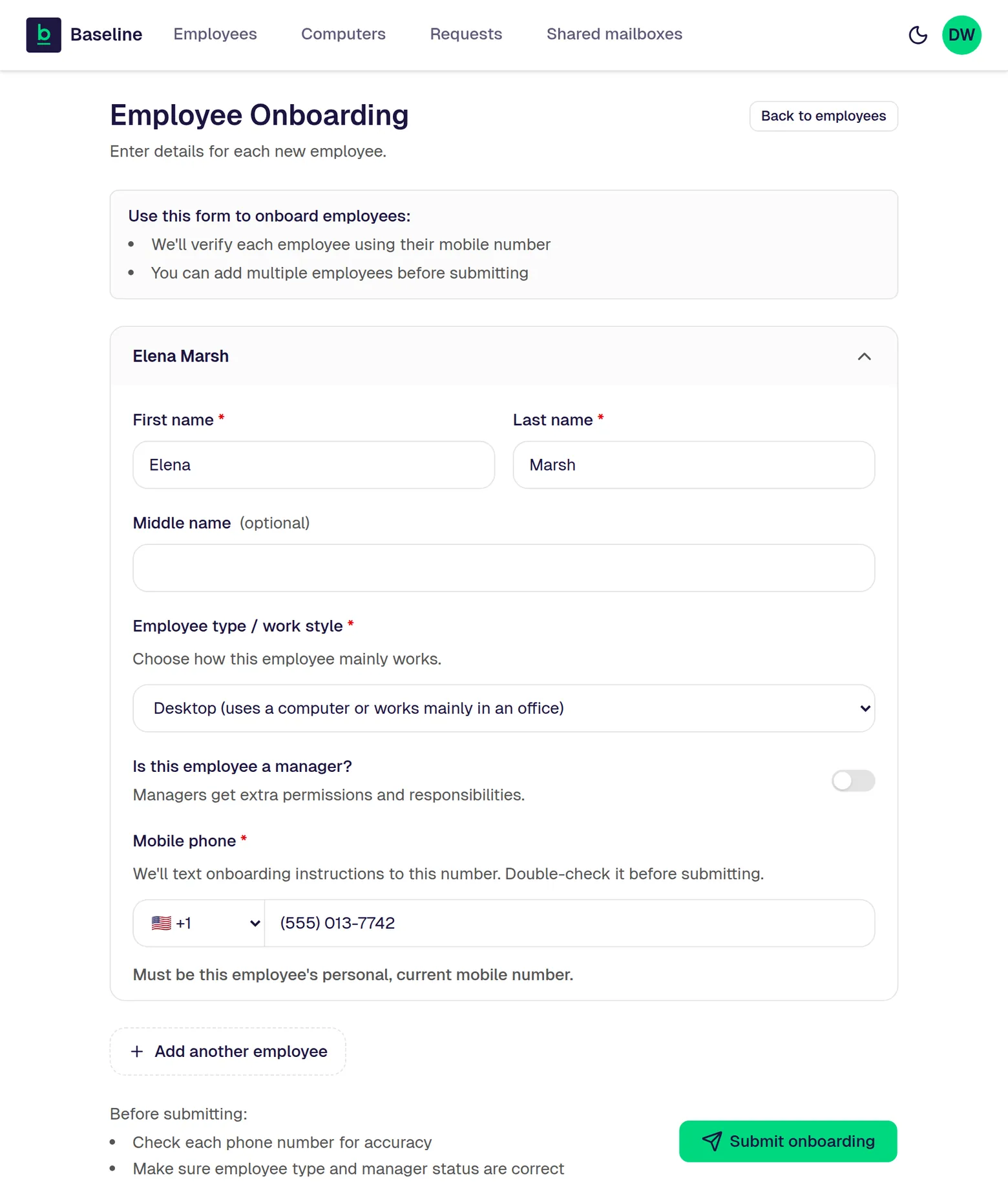
A manager should not have to learn Microsoft administration to add an employee. The Baseline Manager Portal handles it instead.
- Hire a person. The portal can start account creation in less than 30 seconds.
- Remove a person. The portal can start access shutdown in less than 30 seconds.
- Follow employee onboarding and offboarding through to completion.
- Reset a passkey, see every company computer, and manage shared mailboxes.
- Open a support request and track where it stands.
When a manager adds or removes an employee, Baseline starts the change immediately. Microsoft may take a few minutes to finish applying it. Every screen below shows fictional company data. See the full Manager Portal detail.
The standard and the price
Predictable per-employee pricing, because the setup is predictable.
Desktop Users are $45 per user per month with the Microsoft 365 Business Premium license included. Mobile Users are $25 with the Microsoft 365 F3 license included. Annual commitment, paid monthly. Baseline works best for companies ready to standardize sign-in, Windows computers, and Microsoft 365.
Support
One tracked path for help.
Support starts inside Teams, follows one tracked path, and is delivered remotely during published business hours.
The next step
Stop adding bandages.
See what it would take to run your business on one managed standard.
In 30 minutes, we will map how your company works today, show what Baseline would change, and outline the clearest path forward.